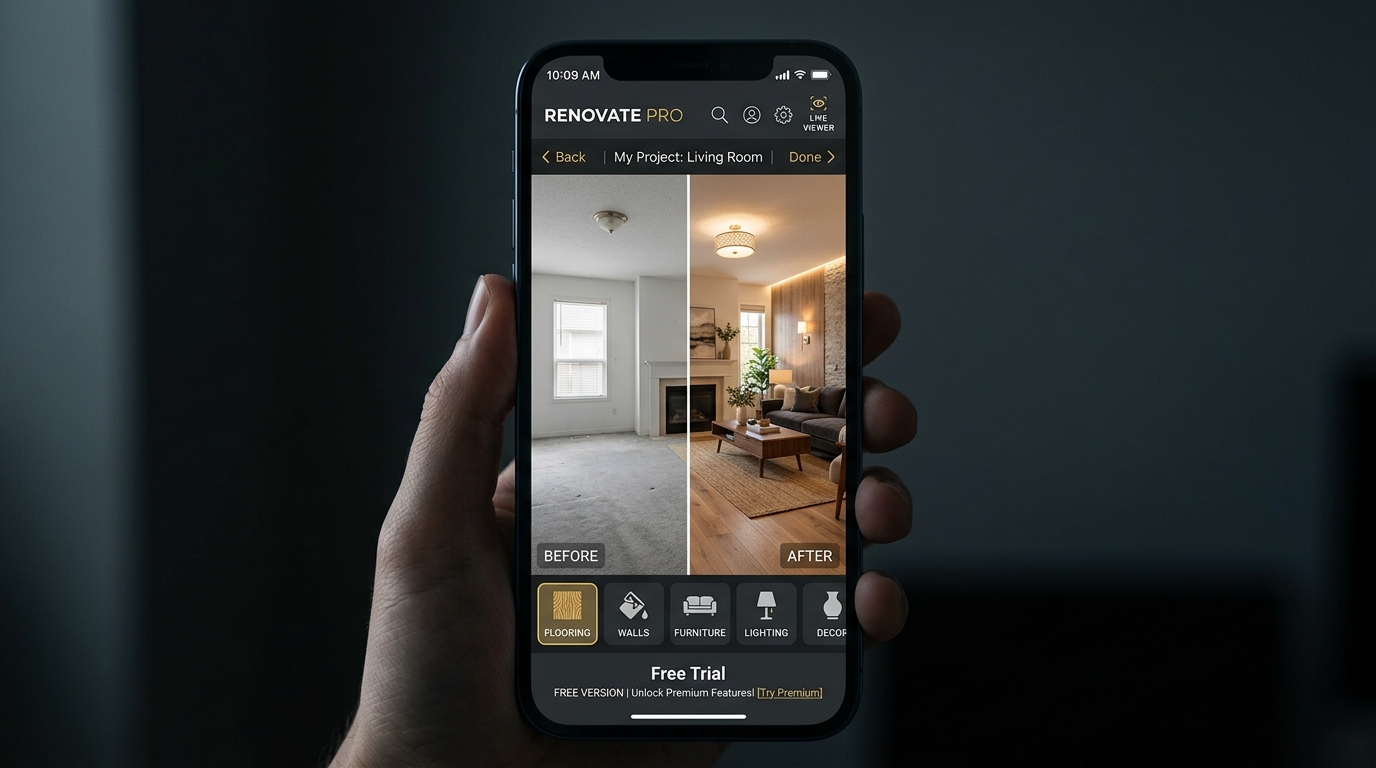
Anyone who has survived a home renovation knows the emotional rollercoaster: the initial excitement of remodeling often turns into overwhelming decision fatigue. Will that natural oak flooring look too yellow next to your white doors? Will sage green make the living room feel cozy or surprisingly dark? With modern AI-powered home renovation simulation apps, you no longer have to rely on guesswork or risk your hard-earned budget: simply take a photo with your phone and watch your space transform in seconds.
Paired with our detailed guide on visualizing renovations before spending and our curated roundup of the best interior design apps, you have everything you need for a smooth and rewarding remodel.
How Photo-Based AI Remodeling Works in Real Life
The experience is as intuitive as taking a quick photo on your smartphone:
Open the Arquitet IA app, point your camera at your living room, bedroom, kitchen, or bathroom, and pick your preferred design style — from warm Scandinavian minimalism to modern industrial or coastal contemporary. The spatial AI recognizes walls, window light, and existing architectural boundaries, generating a photorealistic makeover in seconds.
Testing Flooring and Wall Finishes Without Demolition
Replacing flooring is among the most expensive and disruptive parts of any home project.
As highlighted in our wall color and flooring simulator guide, you can test large-format porcelain slabs, luxury vinyl planks in herringbone layouts, or seamless microcement on the exact same photo, ensuring your color scheme is locked in before placing your order at the home center.
Optimizing Compact Rooms and Walkway Ergonomics
In smaller apartments, every inch of walkway clearance directly impacts everyday comfort.
Applying ideas from our article on small living room design with AI, photo simulations help you choose proportional sectional sofas, floating media consoles, and accent mirrors that maximize light and perceived volume.
Seamless Communication with Architects and Tradespeople
One of the biggest hurdles in renovation is explaining your design vision to your contractor or painter.
Bringing an AI-rendered photo to your planning meeting eliminates misunderstandings: your contractor can clearly see the intended baseboard profile, wall color transitions, and fixture placements, preventing costly rework.
Overview: Traditional Remodel vs. AI Photo Simulation
| Renovation Stage | Traditional Method | With AI Simulator App | Homeowner Benefit |
|---|---|---|---|
| Paint Color Selection | Tiny paper color swatches | Full walls rendered on room photo | Zero surprises from daylight shifts |
| Flooring Replacement | Expensive tile samples on floor | Instant LVP & porcelain 3D previews | Saves thousands on mismatched tiles |
| Furniture Sizing | Tape measures and confusing 2D blueprints | Proportional 3D furniture models | Guaranteed smooth walkway flow |
| Decision Timeline | Weeks of stress and store visits | Instant visual answers in seconds | Complete peace of mind and speed |
Frequently Asked Questions
How does a free AI renovation app generate redesigns from a single smartphone photo?
You snap a photo of any room. Spatial AI recognizes boundaries, door frames, lighting angles, and room geometry, generating a realistic 3D makeover with new flooring, paint, furniture, and cabinetry in seconds.
What costly mistakes does a renovation simulator prevent?
It prevents buying flooring that clashes with existing wood trim, dark paint colors that overpower small rooms, oversized sofas that block doorways, and unnecessary wall demolitions.
Does an AI remodel app replace an architect or general contractor?
It does not replace structural engineering or permit blueprints, but it serves as the ultimate visual alignment bridge between homeowners and contractors, eliminating miscommunication and change orders.
Can I test open-concept kitchens and bathroom tile combinations?
Yes! Arquitet IA allows you to test quartz countertops, custom kitchen cabinetry, walk-in shower tiles, and modern vanity layouts with photorealistic precision.
Preview Your Remodel on Your Room Photo
Want to see your completed renovation before spending a single dollar? Take a photo in the Arquitet IA app and explore dozens of 3D floor, wall, and furniture combinations in seconds.
Simulate Remodel on My Room Photo →